Key takeaways
- ChatGPT Intelligent UI, announced October 7, 2026, lets answers include tappable buttons, forms, charts, diagrams and small tools such as a bill splitter or calculator.
- ChatGPT picks the format based on your question, and it still gives a plain text answer when that's the most useful form.
- GPT-6 Sol is rolling out to Plus, Pro, Business and Enterprise on October 7, and GPT-6 Luna reaches Free and Go users starting October 8.
- The visual-answer claims come from OpenAI and its own demos, so double-check anything with real money or health consequences.
OpenAI announced Intelligent UI on October 7, 2026. It’s a ChatGPT feature that lets an answer include interactive pieces, not just paragraphs. The launch comes alongside new GPT-6 models tuned for everyday conversation.
The feature list is long. What matters more is what shows up on your screen when you ask a normal question, and that’s what this guide covers.
What is ChatGPT Intelligent UI?
It’s a way for ChatGPT to answer with interface elements you can use inside the conversation. According to MacRumors and 9to5Mac, that includes graphics, tappable buttons, forms, charts and diagrams.
OpenAI says the goal is to make everyday answers more visual and complicated topics easier to follow. That’s the company’s claim, backed by its own demos rather than independent testing.
Under the hood, MacRumors reports OpenAI describes a library of native, streamable components and a compiler that processes the interface while the model is still generating it. In plain terms, the visual parts are supposed to appear as the answer is written, not after a long wait.
What you’ll actually see on screen
OpenAI’s sample comparisons put GPT-5.6 next to GPT-6, and the differences are concrete. Per MacRumors, the GPT-6 versions showed more visuals, checklists, built-in maps and an interactive recipe widget.
The recipe widget is the easiest one to picture. You ask for a dinner recipe, and instead of a static ingredient list, you get one that adjusts the quantities to your guest count. Change the number of people and the amounts change with it.
The other demo touches are small but useful:
- Checklists you can work through, rather than a bulleted list you have to track yourself.
- Built-in maps for questions about places.
- Multiple-choice follow-up questions that narrow down the results, so ChatGPT asks you to tap a preference instead of making you type a longer prompt.
For more complex prompts, 9to5Mac reports ChatGPT can generate interactive widgets where you explore a concept or change inputs and watch the results update. Think of a chart you can adjust, not a screenshot of one.
Mini tools inside a chat
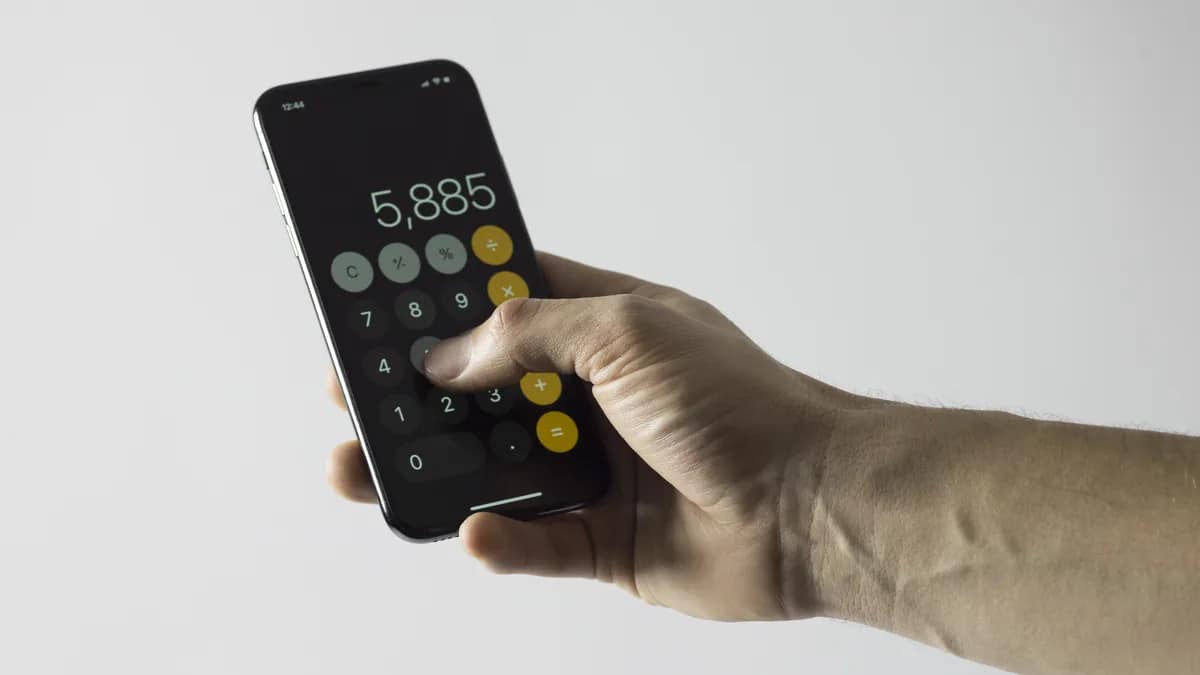
ChatGPT can now build small working tools mid-conversation. The examples named in the coverage are a bill splitter, a calculator and simple games.
The bill splitter is the practical one. Say you’re out with friends and want the tab divided. Rather than getting a paragraph of arithmetic, you’d get a small tool where you enter the numbers and see the split. A calculator works the same way: it sits in the thread and you use it there.
Nothing in the announcement coverage says how accurate these generated tools are. A calculator that ChatGPT writes on the spot is still something ChatGPT wrote on the spot. For a restaurant bill that’s low stakes. For a loan, a tax figure or a medication dose, I’d verify the result elsewhere.
Will every answer look like an app now?
No. 9to5Mac reports the format depends on the question. A comparison might appear side by side, an explanation might get an interactive diagram, and ChatGPT still gives a plain text answer when that’s the most useful way to respond.
That fits how most people use the chatbot. Ask for a two-line email rewrite or a quick fact and you’d expect text, and nothing in the announcement suggests that changes. OpenAI also published a blog post showing how different prompts produce different visual aids, which is a good place to see the range for yourself.
One related change: according to 9to5Mac and MacRumors, GPT-6 can start answering while it’s still reasoning, adding information progressively instead of waiting for the full reasoning process to finish. It should feel less like staring at a blank screen.
Who gets it, and when
The rollout splits by plan. GPT-6 Sol starts rolling out October 7 to Plus, Pro, Business and Enterprise users. GPT-6 Luna comes to Free and Go users starting the next day, October 8.
There’s a limit worth knowing. MacRumors reports that GPT-6 with Intelligent UI applies to the Chat tab only, and that the models behind Work and Codex aren’t changing. If you mostly use ChatGPT in those areas, you won’t see a difference yet.
OpenAI introduced the first GPT-6 models last month, according to 9to5Mac. These are the versions tuned for everyday chat.
Neowin’s headline puts ChatGPT’s user base at 1.2 billion, though its body text wasn’t available to explain what that figure measures. Treat it as Neowin’s number until OpenAI confirms it.
Why it matters for you
If you use ChatGPT for planning, cooking, trip logistics or splitting costs, this is the first update in a while that changes the shape of the answers and not just their quality. You’ll tap and adjust instead of copying numbers into a notes app.
A few things are worth trying once your account has the new model:
- Ask for a recipe and give a guest count, then change it and see if the quantities follow.
- Ask ChatGPT to split a bill with tip and see whether it builds a tool or just gives you math.
- Ask a comparison question, such as two products or two plans, and see if you get a side-by-side layout.
On the cautious side, interactive doesn’t mean verified. A polished widget can still hold a wrong number. Android Authority’s headline calls this ChatGPT’s biggest visual makeover yet, but that’s a headline’s framing, not a measured fact.
If you’re curious how OpenAI is changing what appears in front of ChatGPT users more broadly, our guide to who will see ChatGPT visual ads covers a separate piece of that. And if you’re thinking about what OpenAI’s text can prove about its origins, see what OpenAI text watermarking can and can’t prove.
What isn’t clear yet
Several practical questions are open. Neither the coverage nor OpenAI’s announcement, as reported, explains how GPT-6 Sol and GPT-6 Luna differ in capability, speed or usage limits. Since Free and Go users get Luna and paid tiers get Sol, that gap matters if you’re deciding whether to upgrade.
Also not yet reported: whether Intelligent UI will reach the Work tab, Codex, the API or third-party developers; whether it behaves the same on web, iOS, Android and desktop; and whether pricing, usage limits or regional availability differ by plan.
Independent benchmarks comparing GPT-6 with GPT-5.6 haven’t been reported either, so the claims about clearer, more visual answers still rest on OpenAI’s own examples. Real-world reliability of the generated calculators and bill splitters will only be clear once people have used them for a while.
Related gear
Disclosure: some links in this article are affiliate links or our editor's own courses and book. If you buy through them, TechyCluster or its editor may earn money at no extra cost to you. This does not influence what we cover or how we cover it. As an Amazon Associate, TechyCluster earns from qualifying purchases.
Frequently asked questions
What is ChatGPT Intelligent UI?
It's a ChatGPT feature announced October 7, 2026 that lets answers include interactive elements such as buttons, forms, charts and diagrams, plus small tools like a bill splitter or calculator.
When does GPT-6 come to free ChatGPT users?
GPT-6 Luna starts rolling out to Free and Go users on October 8, one day after GPT-6 Sol begins reaching paid plans.
Which ChatGPT plans get GPT-6 Sol?
Plus, Pro, Business and Enterprise users, with the rollout starting October 7.
Does Intelligent UI work in Codex or the Work tab?
Not according to MacRumors, which reports GPT-6 with Intelligent UI is limited to the Chat tab and that the models for Work and Codex aren't changing.
Will ChatGPT still answer in plain text?
Yes. 9to5Mac reports the format depends on the question, and ChatGPT still gives plain text when that's the most useful answer.
Get the next one in your inbox. One email a day with the tech stories that matter, explained in plain English. Subscribe free.
Sources
This article was compiled from reporting by the following outlets. Links go to the original reports.