Key takeaways
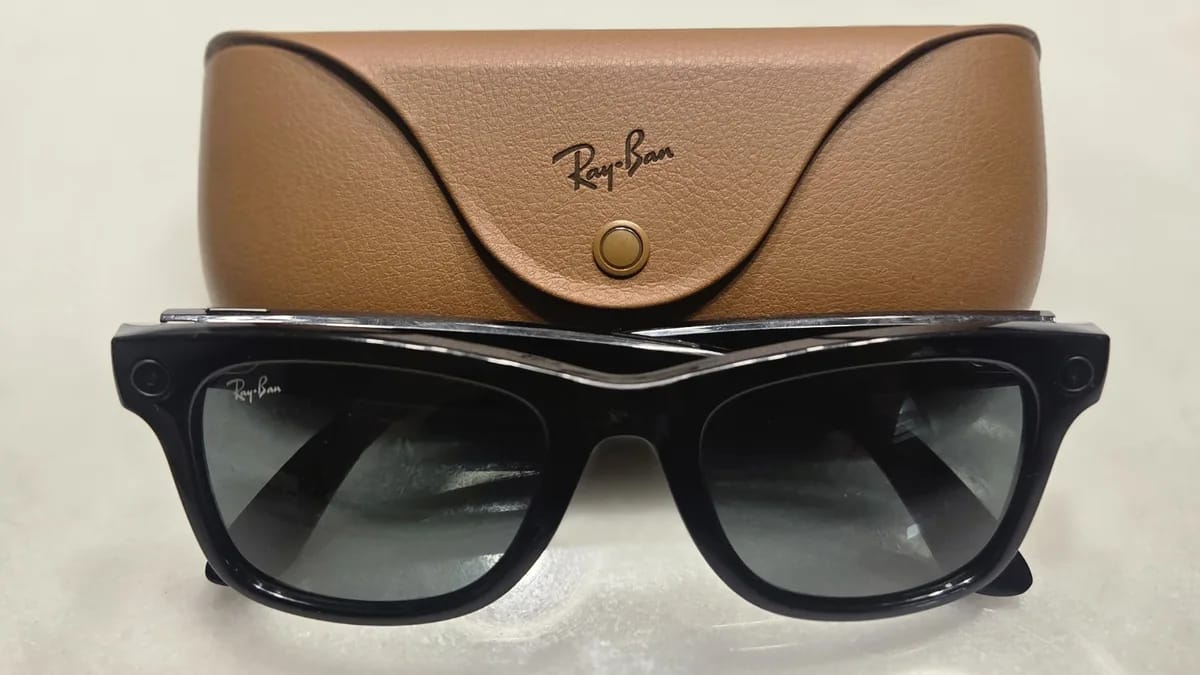
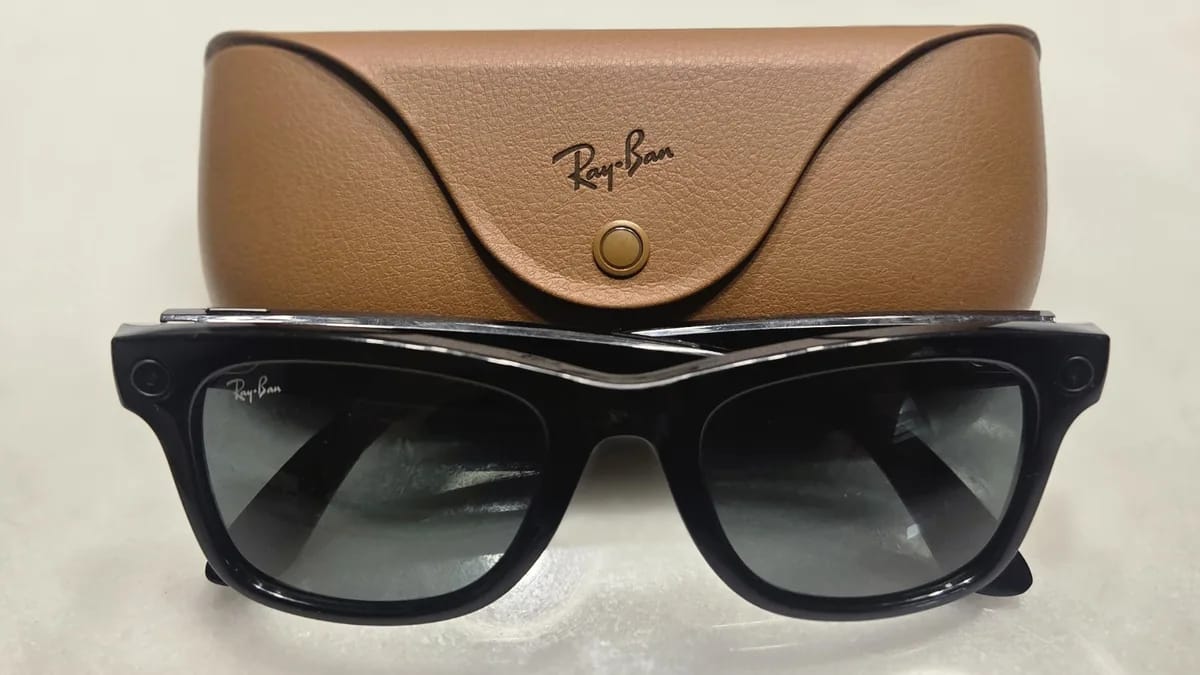
- Ray-Ban Meta Audio starts at $349 and has no camera, and The Verge, PCMag and Engadget all say that makes the glasses less creepy to wear.
- Meta rates the Audio at up to 12 hours of mixed use, against up to 8 hours for Gen 2 and up to 9 hours for Gen 3, according to PCMag.
- The Verge calls them a good pair of open-ear headphones rather than a great pair of smart glasses, because the missing camera takes away features.
- The reviews don't list current prices for Gen 2, Gen 3 or Optics, so check Meta's store before you assume the Audio is the cheaper pair.
Meta’s new Ray-Ban Meta Audio glasses have Bluetooth audio and Meta AI but no camera, and they start at $349. Early reviews from The Verge, PCMag and Engadget are mostly positive, with reservations about the AI. If you’re choosing between this pair and Meta’s camera glasses, the real question is which features you’d miss.
How much do Ray-Ban Meta Audio glasses cost?
The base price is $349 according to PCMag and Engadget. The Verge rounds it to about $350. Lens choices and frame style push it higher, up to $429 for the priciest configurations, and The Verge calls the glasses expensive for what they are.
PCMag has the detailed breakdown. The Burbank starts at $369 with custom clear or basic-tint lenses, plus $30 for polarized lenses or $80 for Transitions. Preconfigured Burbank options run $20 less than custom, and one of the five, a translucent blue frame with sapphire Transitions, costs $429.
The Clubmaster is $349 in black with clear or standard tint lenses, $379 in transparent gray, and $429 with Transitions lenses.
None of the reviews gives current prices for the Gen 2, Gen 3 or Optics glasses, so I can’t put a number next to them. Check Meta’s store for those before deciding.
Battery and weight, side by side
The Audio’s battery rating beats both Gen 2 and Gen 3. Meta says up to 12 hours of mixed use, up to six hours of continuous audio, and 48 more hours from the charging case. PCMag says Gen 2 lasts up to eight hours and Gen 3 up to nine.
- Audio: up to 12 hours mixed use, 6 hours continuous audio, plus 48 hours in the case
- Gen 3: up to 9 hours
- Gen 2: up to 8 hours
- Optics: battery rating not reported
These are Meta’s ratings, not test results. Engadget’s reviewer was at roughly half charge after streaming audio for five hours and taking an hour-long call, but didn’t run a full drain. The Verge and PCMag don’t report their own measured battery numbers.
On weight, PCMag lists the Burbank at 1.52 oz in standard size and 1.59 oz in large. The Clubmaster is 1.66 oz. Engadget puts that at 47 grams, a 2-gram saving over the Ray-Ban Meta Optics. Weights for Gen 2 and Gen 3 aren’t reported.
Fit varies by style. Engadget found the glasses lighter and more comfortable than other Meta pairs because less weight sits at the front of the frames, and they stayed put without adjustment. PCMag found the standard Burbank a little small and tight on its reviewer’s head, though still lightweight.
What do you give up without a camera?
Mostly usefulness. The Verge’s verdict is that these are good open-ear headphones, not great ones, and that removing the camera makes them less useful. The glasses also ship with some features switched off or limited. Recording, translation and button shortcuts are where it shows.
A few specifics from the reviews:
- There’s no native way to record a conversation, and live translation has to be started manually.
- The action button on the right arm does two things on this model, according to Engadget: play recommended playlists or launch Meta AI. You can’t assign a specific prompt or use it to answer or mute calls, as on other Meta glasses. Engadget expects software updates could fix that.
- The Verge says low-vision and blind users are better served by a camera model.
- An FDA-cleared hearing assistance feature isn’t available yet. The Verge suggests the Meta Ray-Ban Display may suit deaf users better because it supports live captioning.
The Hey Meta voice trigger is optional: switch it off in settings and a programmable button on the right arm takes over.

What you gain: comfort, calls and fewer stares
All three reviewers say dropping the camera eases the privacy worries around camera glasses. The Verge’s reviewer says no one noticed they were smart glasses and that wearing them felt less creepy. PCMag notes camera glasses have become divisive after reports of people using Ray-Ban Meta to stalk or harass others.
Engadget says the launch lands amid growing backlash against Meta’s camera glasses.
Sound is decent, with typical open-ear tradeoffs. The Verge heard tinny treble, distorted bass at high volume, and some sound leakage. Engadget says music, podcasts and calls sounded as good as on Gen 2, and friends told its reviewer they sounded clearer than with second-gen AirPods Pro. Ming Hua, Meta’s VP of Wearables, told Engadget that fitting a smaller frame meant reworking the speakers and microphones.
If you work somewhere loud, open-ear speakers that leak sound aren’t a replacement for real isolation. Our guide to noise-cancelling headphones for open offices and video calls covers what to look for there.
Which pair should you buy?
Buy the Audio if you mainly want music, calls and quick voice commands, and you care about battery life and being comfortable around other people. Pay for a camera model if the camera is the point, or if you need the accessibility features the Verge says a camera helps with.
I’d buy the Audio for the audio and treat the AI as a bonus. The reviewers disagree on it. PCMag found Meta AI consistent and reliable in tests that included voice-dictated email, turn-by-turn directions and a game release-date question. The Verge’s reviewer found the current Muse Spark model good for short queries like the next calendar event but confused by complex requests, and local recommendations and walking directions were less useful than a phone. The Verge also says AI hasn’t convinced it as the killer app for smart glasses.
The glasses currently ship with Muse Spark. Meta’s more capable Muse AI is planned via update: later this year according to The Verge, in the coming months according to Engadget. For more on Meta’s models, see our Meta Muse scorecard.
Audio-only glasses aren’t new. The Verge compares these to the Bose Frames it wore about seven years ago. Meta’s version adds a phone-connected assistant that, according to PCMag, works with Messenger, Instagram, WhatsApp, Google and Outlook, Garmin, Google Health, and the 18Birdies and Arccos Golf apps. It works directly with Spotify, Amazon Music, Audible and Shazam. Pandora, Tidal and YouTube Music users have to start playback from those apps.
Privacy: what changes and what doesn’t
Setup now has more prominent privacy screens, per The Verge. You can opt out of Meta using visual data from AI experiences to improve its AI, and out of sharing additional data. The Verge notes voice data is still used. The Audio produces no visual data anyway, since it has no camera.
Android Authority has a separate report headlined that some Ray-Ban Meta owners say their glasses are listening without being asked, with ordinary conversations showing up in Meta AI history. That rests on owner reports, and it’s unclear whether it applies to the Audio model.
What we still don’t know
The exact release date and regional availability haven’t been reported. The same goes for current prices on Gen 2, Gen 3 and Optics, which is the biggest hole in any side-by-side. The Audio’s own pricing is clear; it’s the comparison pieces that are missing.
On software, nobody knows when the full Muse AI or the FDA-cleared hearing assistance feature will arrive, or whether Meta will open up the action button. Meta hasn’t said how it uses voice data given that you can’t opt out, and the reviews don’t say how Audio sales compare with the camera glasses.
The reviewers also disagree on microphones. Engadget counts six, two on the front of the frames and four on the arms. PCMag describes pinhole mics at the front of each temple, one along the top and one along the bottom. Neither explains the difference.
Tools & products mentioned
- Ray-Ban Meta Audio on Amazon — Check current price
- Ray-Ban Meta Optics on Amazon — Check current price
- Meta Ray-Ban Display on Amazon — Check current price
Disclosure: some links in this article are affiliate links or our editor's own courses and book. If you buy through them, TechyCluster or its editor may earn money at no extra cost to you. This does not influence what we cover or how we cover it. As an Amazon Associate, TechyCluster earns from qualifying purchases.
Frequently asked questions
Do the Ray-Ban Meta Audio glasses have a camera?
No. They have Bluetooth audio, microphones and Meta AI, but no camera and no front-facing LED. Engadget notes a small inward-facing notification LED.
How much do the Ray-Ban Meta Audio glasses cost?
They start at $349. The Burbank is $369 with custom clear or basic-tint lenses, and the Clubmaster tops out at $429 with Transitions lenses, according to PCMag.
How long does the Ray-Ban Meta Audio battery last?
Meta rates it at up to 12 hours of mixed use and up to six hours of continuous audio, with the charging case adding 48 hours. PCMag lists Gen 2 at up to eight hours and Gen 3 at up to nine.
Are Ray-Ban Meta Audio glasses always listening?
You can disable the Hey Meta trigger phrase in settings, and a button on the right arm can stand in for it. Android Authority reports that some owners of Ray-Ban Meta glasses say theirs listen without being asked. That report is based on owner claims.
Get the next one in your inbox. One email a day with the tech stories that matter, explained in plain English. Subscribe free.
Sources
This article was compiled from reporting by the following outlets. Links go to the original reports.
- The Verge: I don’t miss the camera on the Ray-Ban Meta Audio glasses
- PCMag: Ray-Ban Meta Audio Review: Smart Glasses Are Better Without Cameras
- Engadget: Ray-Ban Meta Audio glasses review: No camera, no problem
- Android Authority: Big surprise: Some Ray-Ban Meta owners say their glasses are listening without being asked (Updated)